 Fika Studio
 Brand short-form workbench · Mac · Windows
Make brand short-form ads just by talking
A company name and a few files is all it takes. It organizes your brand, drafts several ad plans, and turns the one you pick into a vertical video. Every video on this page is real app output.
You say
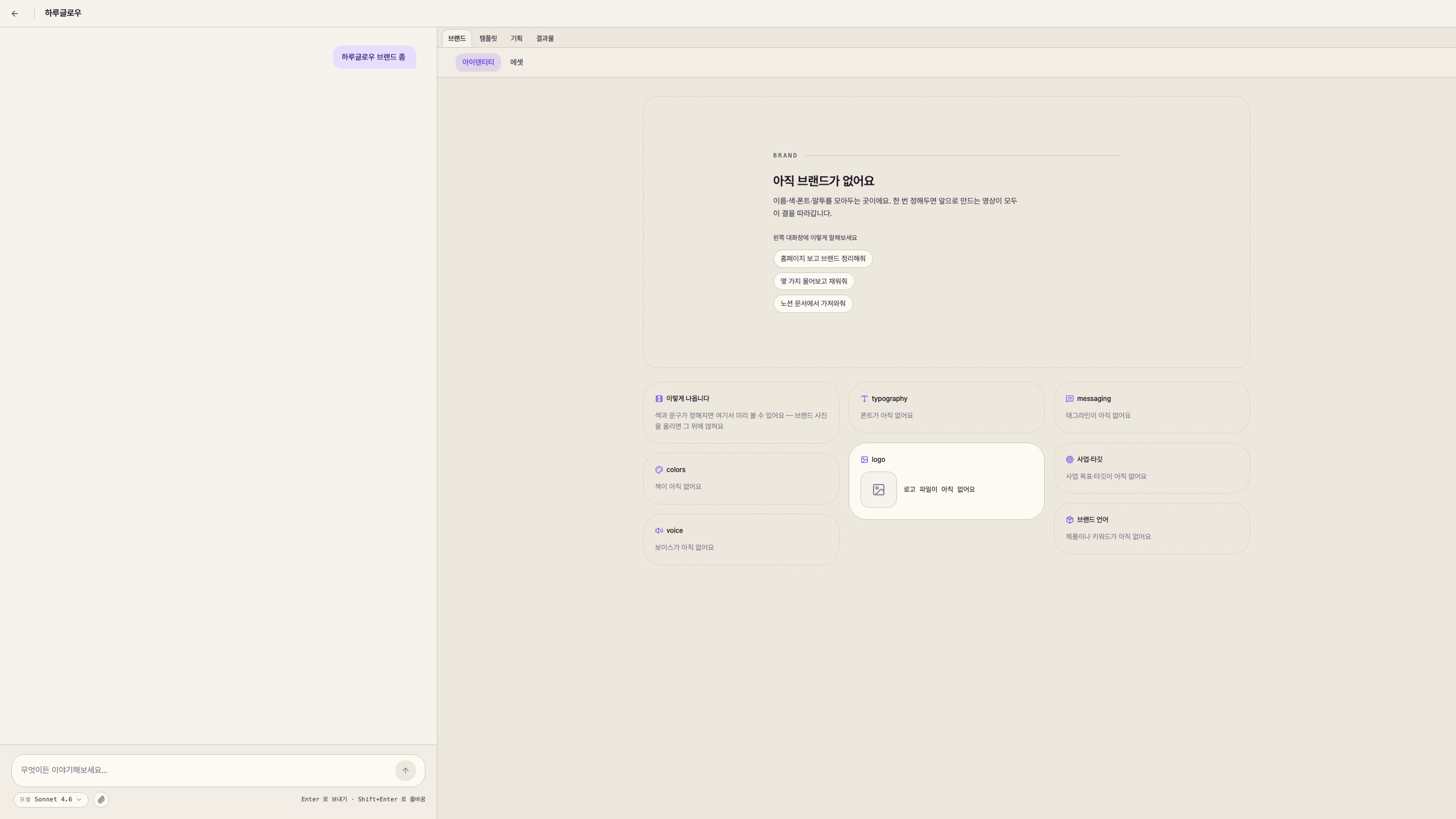
"Set up Haru Glow for me — gentle, ingredient-transparent skincare."
Desktop app · Mac · Windows · Closed beta
-
Haru Glow -
Okssi Kalguksu -
Vitaloom -
Okssi Kalguksu -
Vitaloom



In 30 seconds
- 1
Start by talking
A company name, a few files.
- 2
Several plans
Lay out ad drafts side by side and pick.
- 3
Finished video
The one you pick becomes a vertical video.
Every vertical video on this page is real app output. Not stock, not a mockup.
- Haru Glow Skincare
- Vitaloom Vitamin
- Okssi Kalguksu Noodle house
Demo brands — examples the app built from scratch. Different industries, different hooks.
See it move
Say it, and the brand stands up
"Oakssi Kalguksu. An old noodle shop." — one line and a photo of the sign. It reads the colors and the voice, then name · logo · fonts settle into their places one by one. It tells you honestly what is still missing.
How it works
From idea to video
말 한마디가 브랜드가 되고, 구성안이 되고, 영상이 되기까지 — 네 단계를 거칩니다.
- 01
Brand
Set your logo, colors, tone, services, and audience — the identity for this project.
이름팔레트로고말투 - 02
Pick a template
Tune a template’s design and script structure to fit your brand.
템플릿 내 브랜드 - 03
Plans
Combine topic, brand, and template into several script-ready video blueprints.

- 04
Produce
Take a plan you like from preview all the way to a finished video.
 완성 영상
완성 영상
What it made
All of this came from here
Shorts pulled from three brand sets — a skincare POV review, a noodle-shop twist hook, kinetic type. Different brands, different hooks, all stood up on the same workbench from a few words. Tap to play.
See it move · Produce
The one you pick becomes video
Once you pick a plan, you actually make it. Check the feel in preview, and take it to a finished video — all on your machine. Those vertical videos scrolling above came out of this final step.
- Preview to final in one flow
- Refine with a nudge: “shorter”, “redo this cut”
- Your work stays local — in your hands
What sets it apart
Why Fika Studio
- 01
Built on a board
Typical generator — one click, one result
Not a one-shot generator. Brand, assets, and drafts land on a board you can inspect and edit by eye.
- 02
Compare plans side by side
Typical way — make one, redo if it misses
Lay out several drafts before producing. Refine with a nudge like “shorter and punchier.”
- 03
Start in plain words
Typical way — pick a template, fill the blanks
A company name or a site is enough. Say it loosely and it drafts a starting point for you.
- 04
Brand assets accumulate
Typical way — one video and you’re done
One finished video isn’t the end. Brand and drafts stack up so the next video comes easier.
- 05
On your machine
Typical way — upload to the cloud, burn credits
A desktop app that renders previews and video locally. Your work stays in your hands.
Who makes it
-
Built and used daily by a small team shipping video automation.
-
Your videos and files stay on your machine.
FAQ
Before you ask
-
Do I need design or video-editing skills?
No. A company name and a few files is enough. The app drafts everything from brand setup to plans to the finished video, and you refine anything you dislike just by talking.
-
What if I have no logo or brand assets?
That’s fine. With just a company name or website, the app proposes a name, colors, and voice to give you a starting point. If you have a logo, it uses it as-is.
-
How long are the videos, and where do I use them?
They’re 9:16 vertical videos for Instagram Reels, YouTube Shorts, and TikTok — usually 10–30 seconds. The vertical videos on this page are real output.
-
Can I use them commercially?
Yes. Use the videos freely for company promotion and ads. Your work is stored locally and stays in your hands.
-
How much does it cost?
It’s free during the closed beta. At launch it moves to paid plans, and beta participants get told first.
-
When can I try it?
We’re inviting the closed beta in waves now. Request access and we’ll email you within 3 days as seats open.
Join beta
Join the beta
Closed-beta invite · 50 seats this month · we reach out within 3 days.